
Timeline editing
Arrange the footage and shape the cut yourself.
You record. Omnomesh finds the story, cuts it, captions it and hands you a video ready to post.
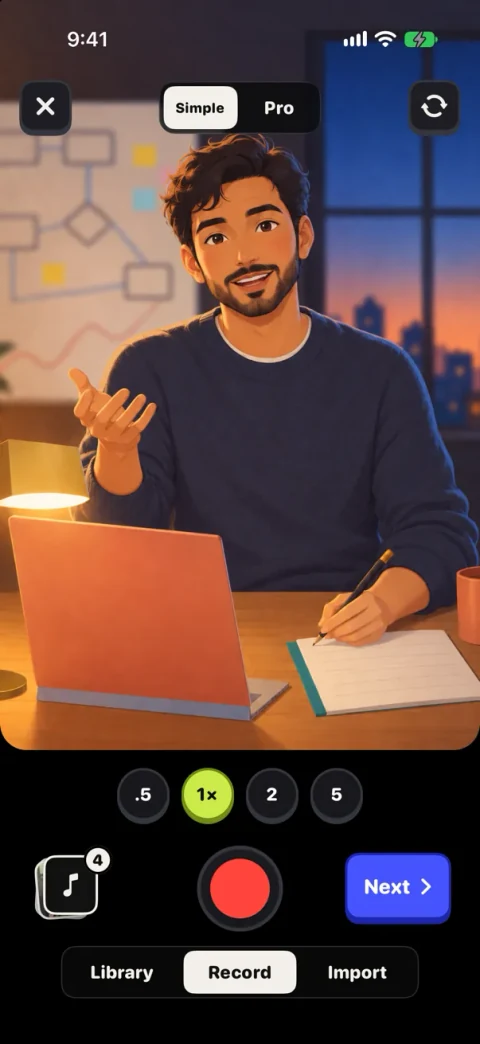

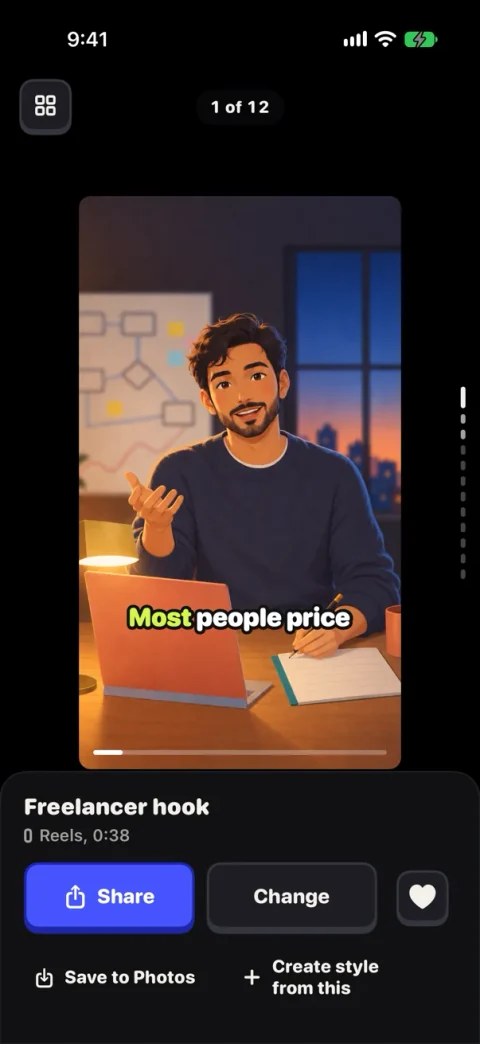
 Shippedthis week
 Orders show up live
 Live revenue
 It took us a few tries
 Tell us what to build next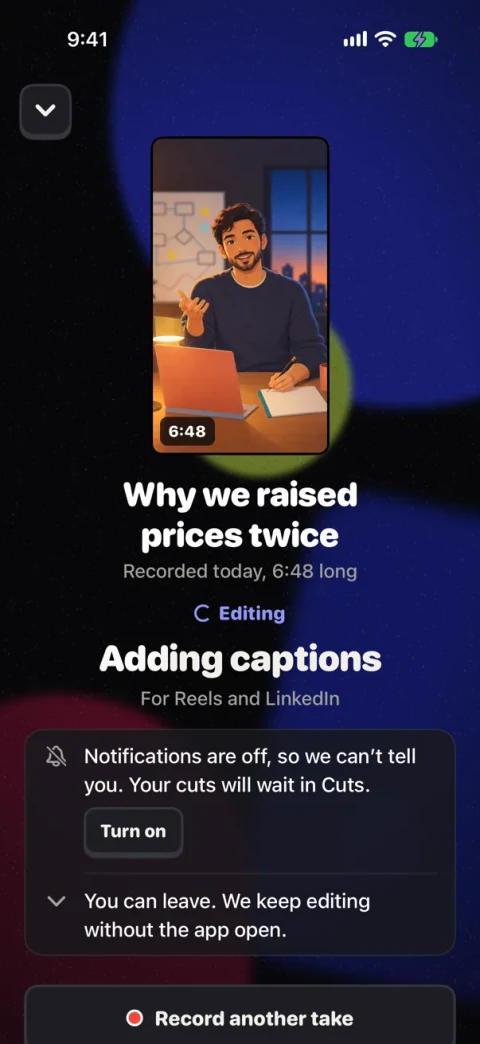
You already did the hard part when you pressed record.The editing should be the easy part.
 ReelsHere’s what I’d do differently
 LinkedInA quick tour of the dashboard
 TikTokThis is how I start my day
 ShortsI didn’t expect that answer
 ReelsThe details, up close
 LinkedInSee how the app works
 TikTokWhat I’d tell my first client
 ShortsHow it comes togetherReelsShipped this week
 TikTokThe new box, up close
Most tools give you a timeline, an agent or a clipper. Omnomesh gives you a finished video.
Familiar editing workflows
Arrange the footage and shape the cut yourself.
Describe the changes and work through the edit in conversation.
Turn a longer recording into shorter clips built around individual moments.
How Omnomesh is different
Omnomesh watches your footage, listens to what you said, and makes the editing calls an editor would.
The timeline, the agent and clipping are still there when you want to step in.
The editing taste we’re building toward
Story and pacing
Formats and viewing habits
Say what you want while you record: add their names, warm up the colours, make this part faster. Omnomesh follows those directions when it edits your footage. You can also add a note afterward, or leave the editing decisions to Omnomesh.
Spoken in the take
“Add tons of motion graphics and make it fast-paced.”
“Put both our name tags above our heads here.”
“Use quiet captions and highlight the important words.”
“Keep this slow and make the colours feel warmer.”
“Bring in a short list as I talk through the details.”

 2
2Let me know what you think




Examples change automatically. Click or press Enter, Space or Escape to hold the current example. Use the arrow keys or swipe to move to another example.
Every cut starts with two questions: what is this video for, and who is it for. The answers decide the opening, what stays and what goes.


Editing choice1
Lead with the moment that gives someone a reason to keep watching.
Editing choice2
Make the question clear without slowing down the answer.
Editing choice3
Remove distracting hesitations while keeping their voice.
Editing choice4
Keep a pause when it gives the answer room.
Editing choice5
Leave out detours that pull attention away from the story.
Editing choice6
Finish on the reaction that completes the exchange.
Examples advance automatically. Click this panel, or press Enter, Space or Escape, to hold the current example. Use the left and right arrow keys to explore the editing choices.
Your colours, type and pace carry through every video, so people recognise yours before they see your name. Fieldnote and Signal are made-up brands, shown for comparison.
A closer
look.
Here’s how
it works.
A closer
look.
Here’s how
it works.
A closer
look.
Here’s how
it works.
Most days you will post what comes back. On the days you want a say, you have three ways to take it.
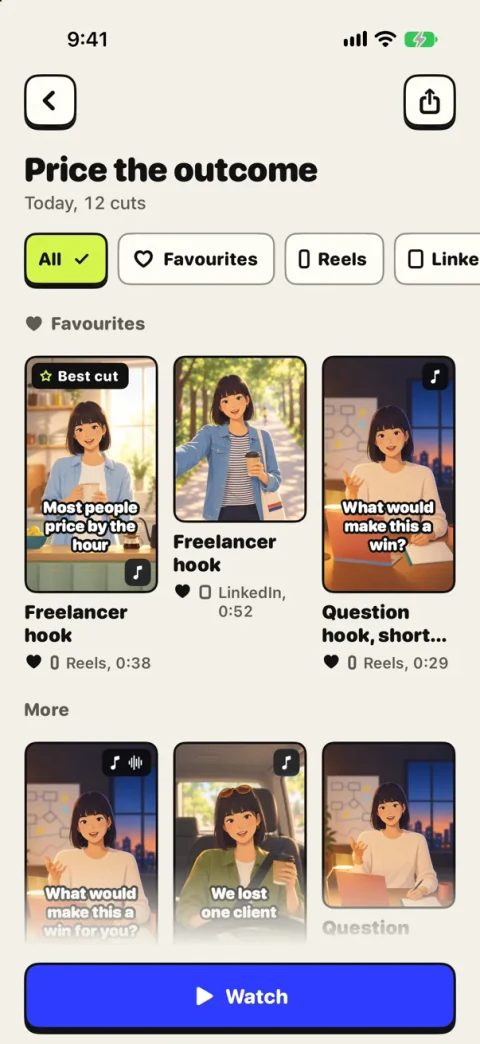
Hand over the footage and review the finished video.
Hands offGive directions while filming or add notes before editing.
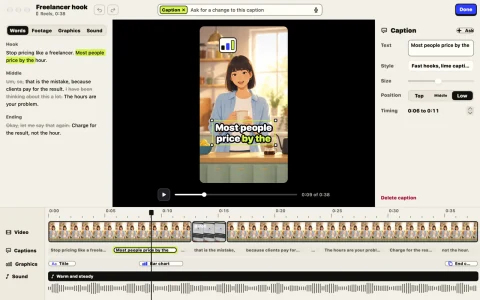
Ask the agent for a change or use the manual timeline.
A street interview, a product demo and a founder update are different kinds of video, and each gets the edit that kind calls for.
Editing for the format
Editing for the format
Editing for the format
Editing for the format
Editing for the format
Editing for the format
Editing for the format
Examples change automatically. Use Left and Right arrow keys or swipe horizontally to explore and keep an example still. Click the example or press Enter, Space or Escape to hold it. Reduced motion disables automatic changes.
Request an invitation. We’ll contact you if a place becomes available for you.
Early access
We’ll email you if a beta invitation becomes available.
Access updates only.
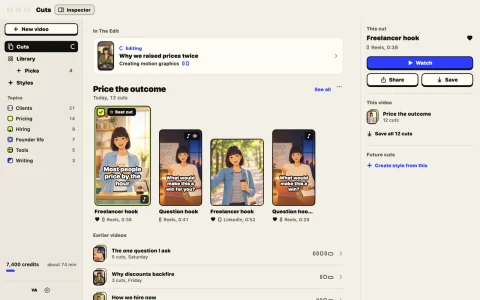

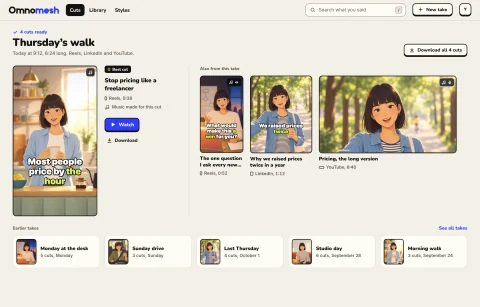
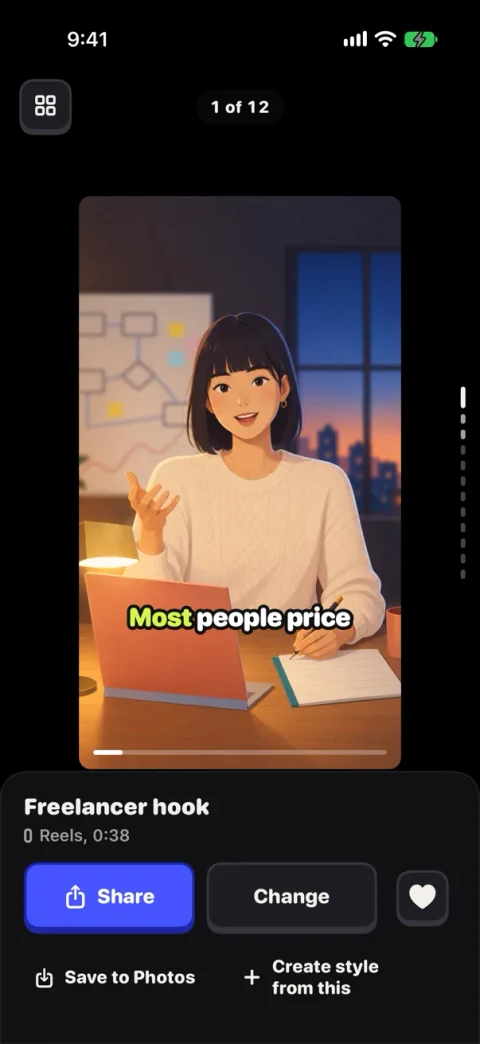
Omnomesh is being built to edit a story from the footage you record or upload, rather than just pull short clips out of a longer video.
The demos are illustrated examples, and the app screens are previews. They show the editing experience we’re building, rather than outputs generated by the current beta.
Not all at once. Some features will arrive after the initial beta, and the interface will evolve. Your invitation will explain the features, platforms and limits available to you before you decide to take part.
The aim is for Omnomesh to handle the edit through to a finished video. You can give it directions or make changes when you want to, without planning every cut yourself.
We’re developing both changes in plain language and a timeline editor, so you can choose how involved to get. The previews show the direction of those tools.
Talking to camera, interviews, podcast clips, product demos, screen walkthroughs and more. We’re shaping edits for the places people post, with beta support confirmed in each invitation.
It depends on the footage and the work requested. We’re testing performance during the beta, so there isn’t a guaranteed turnaround time.
The editing experience starts with your own recordings or uploads. Your invitation will explain the supported files and upload limits for your beta access.
You retain your rights in your footage. Before beta access, we will explain how footage is processed, which providers are involved and the applicable access and retention arrangements. We do not use your footage in marketing.
Automatic posting isn’t part of the initial beta offer. Your invitation will explain the options for exporting or sharing an edit.
We’re building for iPhone, Mac and the web. Your invitation will confirm which apps and devices are supported for your beta access.
Allow optional website analytics, including AI-assisted analysis with OpenAI and Anthropic. Providers may use submitted information to improve or train models. No session recording or form contents are included.
Essential only keeps optional analytics off. Limited fault and security information is still processed to operate and protect the site, including AI-assisted review.
Submitting an access request saves your contact and email choices separately, whichever option you choose. Read our privacy policy.


 12
12

